Archive
#ProjectServer 2013 preview #SharePoint2013 #MSProject
   I am a Project Server and SharePoint consultant but my main focus currently is around Project Server.
I have been working with Project Server for nearly five years since 2007 for a Microsoft Gold Certified Partner in the UK, I have also been awared with the Microsoft Community Contributor Award 2011. I am also a certified Prince2 Practitioner. This article has been cross posted from pwmather.wordpress.com (original article) |
The next version of Project Server is now available as a preview, see the links below:
Project Server 2013 preview:
http://technet.microsoft.com/en-gb/evalcenter/hh973403.aspx
Project Professional 2013 preview:
http://technet.microsoft.com/en-gb/evalcenter/hh973401.aspx
Other links:
http://technet.microsoft.com/en-gb/projectserver/fp123546
http://technet.microsoft.com/en-gb/projectserver/default
http://www.microsoft.com/project/en-gb/preview/


#ProjectServer Active Issues and Risks on PWA Reminders Web Part #PS2010 #SP2010 #SharePoint
|
I am a Project Server and SharePoint consultant but my main focus currently is around Project Server.
I have been working with Project Server for nearly five years since 2007 for a Microsoft Gold Certified Partner in the UK, I have also been awared with the Microsoft Community Contributor Award 2011. I am also a certified Prince2 Practitioner. This article has been cross posted from pwmather.wordpress.com (original article) |
The Project Server reminders web part contains key information relating to all projects that the logged on user is involved in. This includes new task assignments, timesheet information, pending approvals and active issues and risks assigned to the logged on user. This post focuses on the issues and risks count as I have seen a number of queries relating to the issues and risks not showing on the reminders web part.
Firstly I will detail where this web part gets the data from and then show working / non working examples. This web part reads data from the Project Server Reporting database, two stored procedures create the dataset for the web part then the code on the web part counts how many of those issues and risks are active. The status value is key to the issues and risks count on the reminders web part, this will be shown in the examples later on. In the image below you can see that I have 3 active risks and 2 active issues assigned to me on my test system:

Lets now take a look what the two stored procedures return from the Reporting database. Firstly I need to get my ResourceUID to pass into the stored procedures using the simple query below against the Reporting database:

The two stored procedures are MSP_WSS_ReadResourceIssues and MSP_WSS_ReadResourceRisks. These two stored procedures require a RES_UID value, in this example I will use my ResourceUID C5733575-2C0A-4B40-A367-E33B82A1CB33 as shown below:

As you can see I have 3 risks and 4 issues assigned to me. Notice on the PWA reminders web part it shows 3 active risks which matches the SQL dataset and 2 active issues which doesn’t match the SQL dataset. The issues SQL dataset returns four issues, 3 of which are active in the lists and one which is postponed.
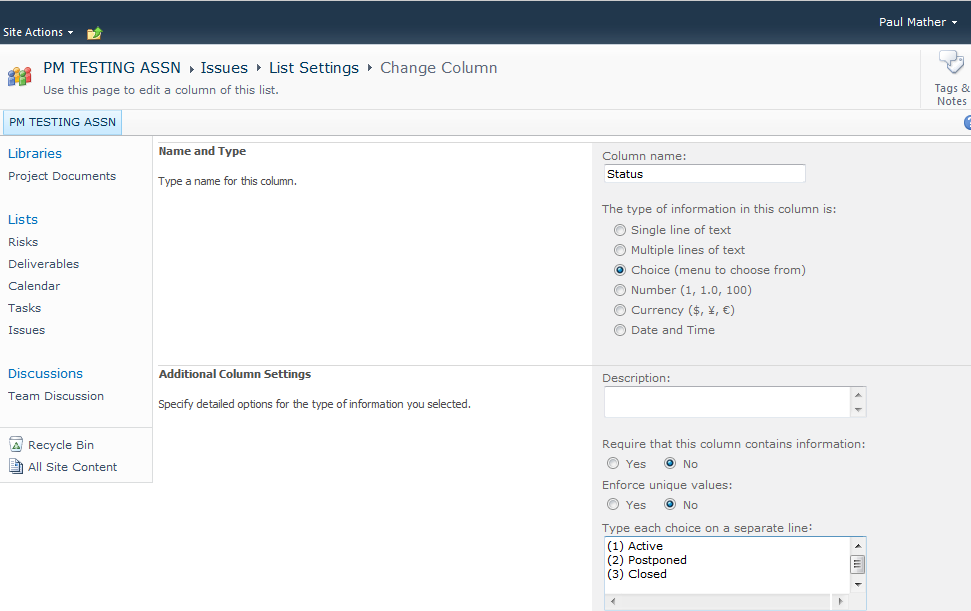
For active issues and risks to appear on the reminders web part it is key that the Status value is (1) Active, notice that the 4th issue has a value of Active without the (1).
If I change the issue list settings for the PM Testing Assn project site so that the Status choice value includes (1) Active then edit the item, the reminders web part will correctly show 3 active issues.
The current Status choice values on the PM Testing Assn project site are shown below:

Once this choice list has been updated to include the correct Active value and the issues edited the SQL dataset will contain the correct values and therefore so will the reminders web part. The choice values updated to the correct values shown below:
Now after editing the issue item the correct active Status value will appear:

The SQL stored procedures return the correct values after the Reporting (Project Sync) job has successfully completed in the Project Server queue:

Refreshing the PWA homepage now also shows the correct count on active issues and risks:

So the keys things to remember to make sure the reminders web part shows the correct counts for the active issues and risks are:
- ensure the Issues and Risks list default status values are not updated
- ensure the Reporting (Project Sync) jobs completed successfully
When updating the project site template it might be worth testing all default functionality, a useful project site smoke test can be found here:


Check all #SharePoint lists and libraries for specified column type in a site collection #SP2010 #PS2010 #ProjectServer #PowerShell
|
I am a Project Server and SharePoint consultant but my main focus currently is around Project Server.
I have been working with Project Server for nearly five years since 2007 for a Microsoft Gold Certified Partner in the UK, I have also been awared with the Microsoft Community Contributor Award 2011. I am also a certified Prince2 Practitioner. This article has been cross posted from pwmather.wordpress.com (original article) |
Recently we were carrying out an internal review of our SharePoint 2010 intranet system at CPS and needed to see where the BCS applications were used in the site collection on all sites. Rather than clicking on the list or library settings for each list / library to check for the External Data type on the column settings, I wrote a simple PowerShell script to check this.
The script is available from the Microsoft Script Center below:
http://gallery.technet.microsoft.com/scriptcenter/Check-all-lists-for-8689d3a9
To run the script, update the $siteCollection variable with the correct site collection URL and specify the column type, in our case this was External Data.
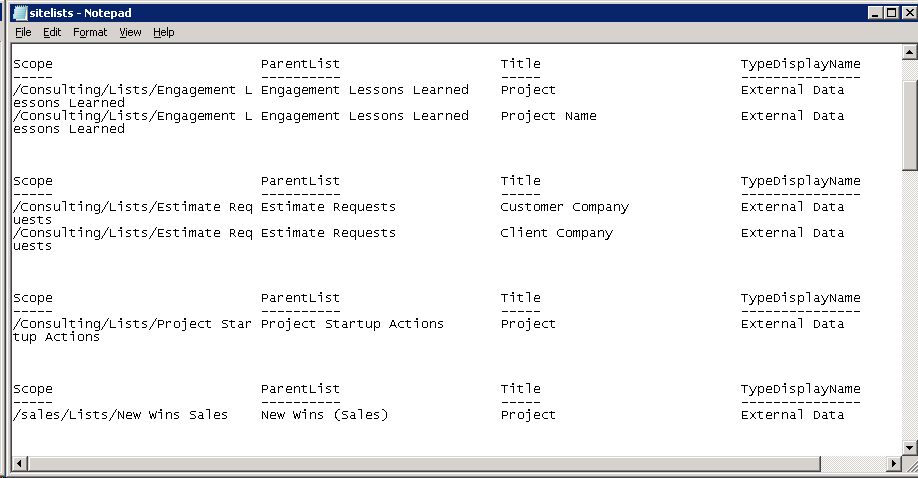
Once executed, the script will output the data to a text file called sitelists.txt. An example output can be seen below:


Testing a new #ProjectServer project site template #PS2010 #MSProject #EPM #SP2010 #SharePoint
|
I am a Project Server and SharePoint consultant but my main focus currently is around Project Server.
I have been working with Project Server for nearly five years since 2007 for a Microsoft Gold Certified Partner in the UK, I have also been awared with the Microsoft Community Contributor Award 2011. I am also a certified Prince2 Practitioner. This article has been cross posted from pwmather.wordpress.com (original article) |
If you are not aware already, deleting or modifying the default lists and fields in Project Server 2007 and Project Server 2010 can break some default functionality on Project Server. For example updating the Issue and Risk Status field choices, particular the “(1) Active” value will prevent the active Issues and Risks displaying in the Reminders web part on the PWA homepage. Other changes can cause the Reporting WSS sync job to fail in the Project Server queue which causes the WSS Project Sites data not to be current in the Reporting database and OLAP Cube. If you do have any of these issues I did write about a fix around a year ago now, this can be found here: http://pwmather.wordpress.com/2011/06/20/project-server-2010-project-site-default-fields/
Below is a useful set of tests that can be used to test a new Project Server 2010 project site to confirm the default functionality with Project Server still works:
· Create a test project with a few tasks and a project site
· Check you can create a new Issue, set the status to Active and assign to a Project Manager account that has access to the Project Site
· Return to PWA homepage using the Project Manager account and ensure you see 1 active issue assigned
· Click on the new Issue and make sure all links function correctly and you can see the Issue on the Project Site
· Check you can create a new Risk, set the status to Active and assign to a Project Manager account that has access to the Project Site
· Return to PWA homepage using the Project Manager account and ensure you see 1 active risk assigned
· Click on the new Risk and make sure all links function correctly and you can see the Risk on the Project Site
· Edit an Issue and link it to a Project task
· Return to PWA Project Centre, does the Issue indicator appear
· View the Project Details page, does the Issue indicator appear next to the task
· Edit a Risk and link it to a Project task
· Return to PWA Project Centre, does the Risk indicator appear
· View the Project Details page, does the Risk indicator appear next to the task
· Can you upload a document
· Edit a Project Document and link it to a Project task
· Return to PWA Project Centre, does the Document indicator appear
· View the Project Details page, does the Document indicator appear next to the task
· Publish the Project Plan
· Check Reporting job is successful in the Project Server queue
· Build the Project Server OLAP Cube, create a report based on the OlapProjectSharePoint template and confirm the issues and risks appear
· Open the IssuesandRisks sample report and confirm the issues and risks appear
· Check you can delete workspace for the test project
· Check can create a new workspace for the test Project
· Publish the Project Plan
· Check the workspace synchronisation is successful – no errors in the queue
To test other functions in Project Server 2010, take a look at this TechNet link:
http://technet.microsoft.com/en-us/library/gg502592.aspx


TechEd Europe 2012 Day Two #TEE12
I know TechEd Europe 2012 is over now and unfortunately it is only now that I have had a chance to recount my adventures of day two.
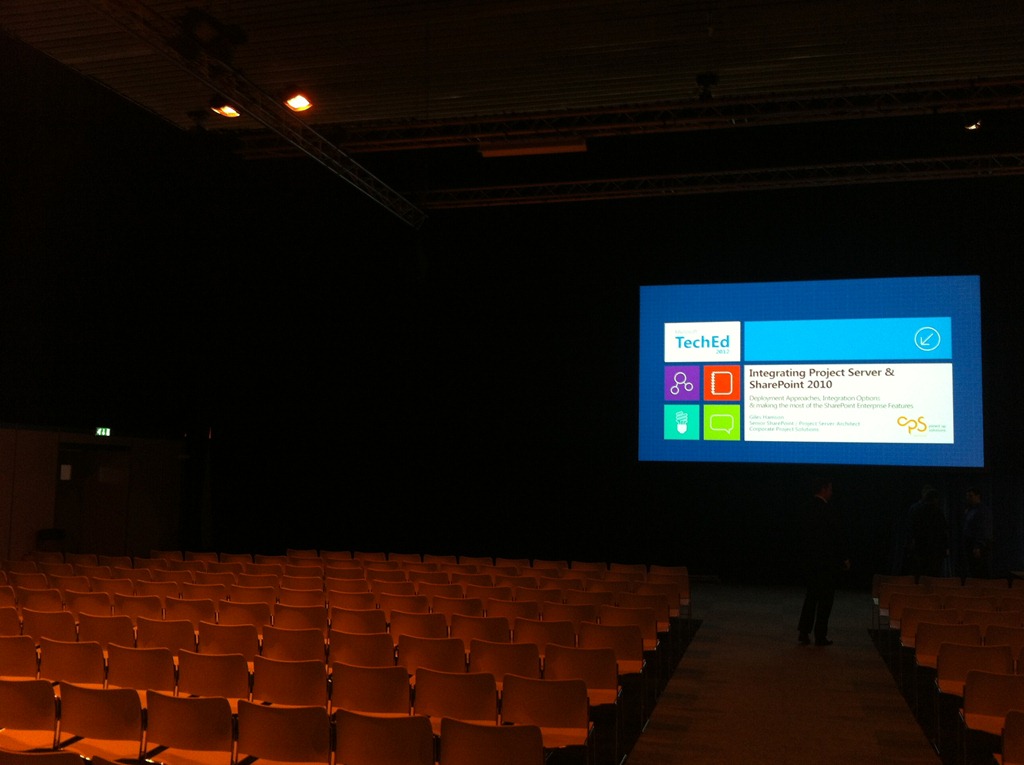
Day two for me was unfortunately my last day due to work commitments. It was however the day of my presentation on Integrating SharePoint and Project Server 2010.
 |
 |
 |
First of all, the sessions:
Keynote
The focus of the keynote on day two was around Windows 8. Now I know that Windows 8 has been available in its preview form for a long time now and we have seen it on tablets with the Samsung Series 7 Slate:

However, I have installed it in a VM and tried it out and felt the desktop experience was somewhat lacking. This is only based on initial trials and I hadn’t done any research into shortcuts etc. So it was just my initial impression.
I have to say though, after watching the keynote, I was pleasantly surprised. The ease of use for touch and mouse / keyboard interfaces is actually very good but is somewhat hidden from initial impressions and I can totally see that I will be using Windows 8 with ease in future.
As part of the keynote, they demonstrated Tablet use, Mouse / Keyboard use and even multi-touch aware touch pads on laptops. It is clear that a lot of thought has been put into this interface and more importantly every demonstration in this keynote was live, using the release preview of the software.
Then they demonstrated Windows To Go, which is a new feature of Windows 8 allowing you to run the OS and anything installed from a USB drive.
Once again a live demo which worked first time without issues and then whilst running the OS and demonstrating the solution he pulled the USB stick out:
And within 60 seconds, if you put the USB stick back in, the OS and the applications just keep running, totally amazing!!!
Can you imagine using your new Microsoft Surface tablet with all your sales demos and POC machines booting from the USB (perhaps a bit aspirational, but still… it sounds possible)
Anyway… on to the sessions… I only really had time for one session:
BI Semantic Models: Multi-dimensional vs. Tabular
Now I am have been using the BI tool part of the SharePoint for a very long time and recently my projects has started to become more involved in the backend infrastructure of the data and the way it is stored and accessed.
This is particularly useful when you consider the newer BI technologies such as PerformancePoint (not that new I know), PowerPivot (a bit newer) and PowerView (cutting edge) which rely upon either Analysis Service cubes and PowerPivot cubes.
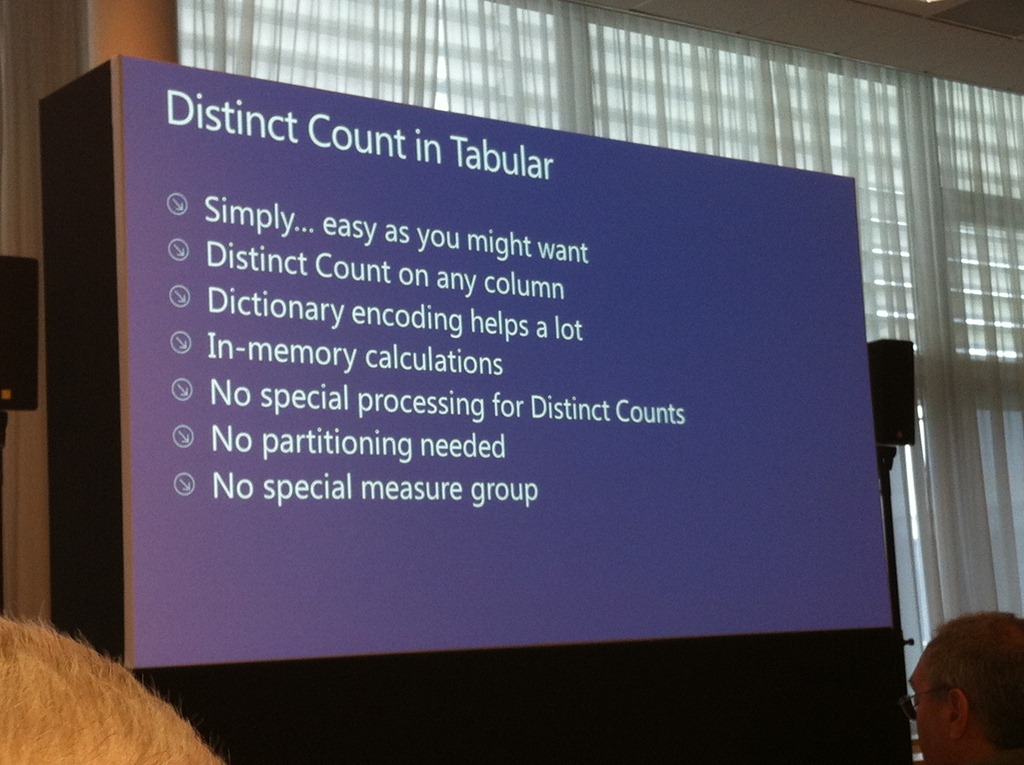
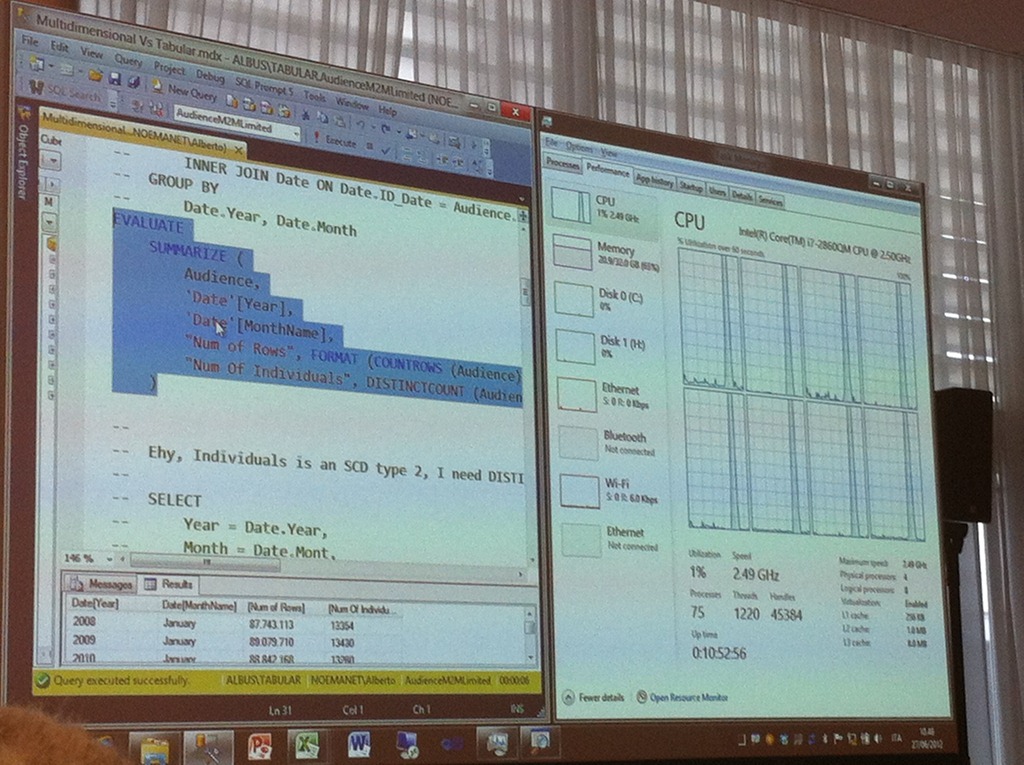
The tabular approach is new by comparison and uses DACS rather than MDX to query and process the data.
The session discussed the differences and which is more performed better under different scenarios.
The presenters were excellent and clearly knew this stuff inside out!
 |
 |
 |
The session can be viewed here:
http://channel9.msdn.com/Events/TechEd/Europe/2012/DBI319
After the session, I caught up on emails and work and then straight into my session:
Integrating SharePoint and Project Server 2010
Essentially a slightly cut down version of my original presentation at the Microsoft Project Conference 2012 (which is available here: http://www.microsoft.com/en-us/showcase/details.aspx?uuid=06fff348-8836-497b-a5eb-b5ed63a3b6c9)
The presentation went well and I even had my groupies in the form of Robin Kruithof (CXS – who has just started his blog here) and Barbara Henhapl (Project MVP – Austria).

 |
 |
 |
I was also honoured to have Christophe Fiessinger in the audience too.
And that was it for me, I said my goodbyes to all the colleagues and people I networked with and headed back to the airport for the flight home (and work the next day…)

#ProjectServer and #SharePoint 2010 June 2012 Cumulative Update #PS2010 #SP2010 #MSProject
|
I am a Project Server and SharePoint consultant but my main focus currently is around Project Server.
I have been working with Project Server for nearly five years since 2007 for a Microsoft Gold Certified Partner in the UK, I have also been awared with the Microsoft Community Contributor Award 2011. I am also a certified Prince2 Practitioner. This article has been cross posted from pwmather.wordpress.com (original article) |
The Office 2010 June 2012 Cumulative Updates are now available, please see the links below:
http://support.microsoft.com/kb/2712235
Project Server 2010 Server Roll up package June 2012 CU (Recommended):
http://support.microsoft.com/kb/2598355
Project Server 2010 June 2012 CU (Included in the Server Roll up package):
http://support.microsoft.com/kb/2598375
Project 2010 June 2012 CU:
http://support.microsoft.com/kb/2598351
For more details please see: http://blogs.technet.com/b/projectadministration/archive/2012/06/29/microsoft-project-server-and-sharepoint-server-2007-and-2010-june-2012-cu-announcement.aspx
As always, test these updates on a test environment before deploying to production


Deleting the #SharePoint Training Kit site
So you have had your SharePoint environment installed for a while and you installed the SharePoint Training Kit as a site for end users to get used to the idea of lists, libraries, check in / out etc… but you are a couple of years into your implementation now and you want to clean up sites that aren’t being used anymore.

The SharePoint Training Kit site hasn’t had usage for a while (you can see this from your analytic stats) and you make the decision to get rid of it.
You attempt to delete and you get the following message:
Cannot delete the training web site becasue you are not authorized or other training site depends on this site. at
Microsoft.SharePoint.Library.SPRequestInternalClass.DeleteWeb(String bstrUrl)
at Microsoft.SharePoint.Library.SPRequest.DeleteWeb(String bstrUrl)
Well thanks to this blog post, there is a nice step by step guide:
http://blogs.msdn.com/b/ekraus/archive/2008/05/22/sharepoint-training-kit-cannot-delete-site.aspx
Just for my own reference, I will place the steps to resolve here:
The deactivate event in the feature receiver is restricting the DeleteWeb call. To get past this, remove the two assemblies that are installed in the GAC when you ran the install:
- Micrososft.SharePointTrainingKit.dll
- Microsoft.SharePointTraining.Features.dll
1. Browse to %WINDIR%\assembly
2. Find the assembly, Right click > Uninstall
- Run IISRESET
- You should now be able to delete the three subwebs, and finally the top level web.
Note: To add the DLLs back into the GAC:
1. Browse to the install location of the Training Kit (typically C:\Program Files\Microsoft Office SharePoint Server 2007 Training)
2. Copy the MossTraining.wsp file and past in the same folder (name is not important)
3. Change the copied *.wsp file’s extension to *.cab
4. Double click on the *.cab file to open it up in an explorer window
5. Find the two assemblies mentioned above, right click > Copy
6. Browse back up one level and paste them into your install folder
7. Open a new explorer window and browse to %WINDIR%\assembly
8. DRAG the assemblies into the assembly folder (copy & paste will not work)
- Run IISRESET
Thanks Eric Kraus, this could have been a nightmare to debug without your blog 

Move a #SharePoint 2010 sub site to a different location on the same farm #SP2010 #PS2010 #PowerShell
|
I am a Project Server and SharePoint consultant but my main focus currently is around Project Server.
I have been working with Project Server for nearly five years since 2007 for a Microsoft Gold Certified Partner in the UK, I have also been awared with the Microsoft Community Contributor Award 2011. I am also a certified Prince2 Practitioner. This article has been cross posted from pwmather.wordpress.com (original article) |
Recently a query came up on the Project Server forums asking how to move a SharePoint site from the PWA site collection to another site collection. Please note this was not a Project Site. For this question I created a simple PowerShell script that will export the site and import it into the specified location. Even though this example is for a site in the PWA site collection, it will work for a site in any SharePoint 2010 site collection providing the same site templates, features etc. are available.
The script is available to download from the Microsoft Script Center:
http://gallery.technet.microsoft.com/scriptcenter/Move-a-SharePoint-2010-sub-f7774baa
Below is a walkthrough on using and executing the script.
Firstly download the script and set the variables:
# set variables
$exportfolder = "C:\Site exports" – Specify the folder to be created, this is where the export files will be created
$exportfile = "\site_export.cmp" – Specify the export file name
$exportsite = "http://vm353/PWA/PAULMATHERTESTSITE" – Specify the URL of the site that you want to move
$exportlocation = $exportfolder+$exportfile – This does not need to be updated
$importlocation = "http://vm353/PAULMATHERTESTSITE" – Specify the location where you want the site to be imported
The next part of the script gets the exported site’s template as this is needed to create the placeholder site later on:
#get export site’s template
$web = Get-SPWeb $exportsite
$webTemp = $web.WebTemplate
$webTempID = $web.Configuration
$webTemplate = "$webTemp#$webTempID"
$web.Dispose()
Worthing noting is that you need to use the Configuration property as the template ID rather than the WebTemplateID property as the WebTemplateID will always contain the original ID for the first template Microsoft created. For example a Team Site template ID is STS#0, but the WebTemplateID property for a Team Site will contain a 1, the Configuration property will contain the correct ID, in this case a 0.
The final part of the script is does the export and import, the comments above each line advise what that part of the script is doing.
#create export folder
$null = New-Item $exportfolder -type directory
#export site
Export-SPWeb $exportsite –Path $exportlocation -IncludeUserSecurity -IncludeVersions 4
Write-host "$exportsite has been exported to $exportlocation"
#create new site ready for import
$null = New-SPWeb $importlocation -Template "$webTemplate"
Write-host "$importlocation created ready for import"
#import site
Import-SPWeb $importlocation –Path $exportlocation -IncludeUserSecurity –UpdateVersions 2
Write-host "$exportsite has been imported to $importlocation" -foregroundcolor "Green"
Now lets have a walkthrough and move a site, in the example I have a Team site called “PAULMATHERTESTSITE” that is below the PWA site collection, I want to move this to the top level root site collection. For this example the variables above are correct. Open PowerShell on the Application server and navigate to the location of the ps1 file, in this case it is on my desktop:

Press Enter to execute the script:

A copy of the site should now exist in the new location.
As always, this script is provided as is with no warranties etc. use at your own risk and test on a test environment before using on a production environment.


#ProjectServer save from Project Professional failed #PS2010 #SP2010 #MSProject
|
I am a Project Server and SharePoint consultant but my main focus currently is around Project Server.
I have been working with Project Server for nearly five years since 2007 for a Microsoft Gold Certified Partner in the UK, I have also been awared with the Microsoft Community Contributor Award 2011. I am also a certified Prince2 Practitioner. This article has been cross posted from pwmather.wordpress.com (original article) |
Just a quick post as a reminder, I was recently at a client where projects failed to save to Project Server. The key error shown in Project Professional and in the Project Server queue was:
error id =”12005”
error= System.Data.SqlClient.SqlException: Execution of user code in the .Net Framework is disabled. Enable “clr enabled” configuration option
The error states the exact issue, CLR needed to be enabled on the SQL Server. The steps to enable CLR are documented here:
http://technet.microsoft.com/en-us/library/ee662108.aspx#section3


TechEd Europe Day One #TEE12
So I am here in Amsterdam having completed day one of TechEd Europe 2012 and once again, the conference is an awesome experience. There is one major difference however…
Now I actually know some people from the last conference I went to (MSPC12). So I am catching up with some colleagues (Alex Burton – Nintex and Ben Howard – Applepark) as well as getting to know new colleagues (Robin Kruithof – CXS and Mike Wϋbbold – SolutionTime).
The focus of the conference is very much about the cloud:
- Innovations in Windows Server 2012 to support private and public clouds
- Windows Azure advances with websites, Hyper-V, SSRS to truly support private and public cloud infrastructure in anyway you can imagine.
- And of course Office 365 incorporating SharePoint Online, Exchange Online and Lync Online
Day One Keynote
The keynote was an impressive site with equally bold statements on how Microsoft are not only in the cloud, but mature in the cloud with innovation on how it should be done!!!

Very bold statements indeed but with one difference… evidence!
Discussions on how Microsoft have achieved the scalability of Azure through the use of automation technologies such as PowerShell.
How Microsoft have worked with storage and network vendors to ensure optimum throughput on the Windows Server 2012 platform.

Copying a 10GB file is seconds across the network in seconds! I couldn’t take a picture fast enough…
And lastly, how Hyper-V has come of age as a true competitor to VMWare in the virtualisation market with IOPS stats they can only dream of…

That’s 1,026,020.31 IOPS and only limited by current hardware, not the software!
Azure Reporting Services
Moving on from this and after catching up with colleagues. I moved into Azure SSRS which was launched at the North America TechEd event at the beginning of June.
SQL Server Reporting Services is now available in the cloud and we can finally say that Business Intelligence is starting to become available in a public cloud environment.
Some key things to note:
The API interfaces of SSRS are available:

However, some restrictions to the current launch do apply:
|
 |
These are some serious limitations, but we are assured that this is being worked on and we will see improvement in future.
No word or official comment on integration with Office 365 but it wouldn’t surprise me if SharePoint Online integration is not coming down the line.
Staffing the Microsoft Project – Technical Learning Centre (TLC)
To gain attendance to one of the biggest Microsoft conferences, some of us have to pay our way in kind. 🙂
This humble bloggers approach is through presentations (more on that tomorrow…) and staffing the Microsoft Project booth at TechEd to help customers understand how Microsoft Project 2010 and Microsoft Project Server 2010 fit into the Office Server eco-system with SharePoint and other products.
We also provide help to anyone who would like to pose us with problems… almost like a live MSDN forum answer session.
It is also a good opportunity to catch up fellow colleagues in the EPM space and discuss approaches to client implementations etc…:

Ben, Mike, Robin and me
As part of the TLC Office stand some other cool and geeky items:
The Azure datacentre in Lego.
 |
 |
 |
A cool Office 365 Lego giveaway…

and the most elaborate Microsoft Flight Simulator you will ever see…

And towards the end of the day I caught up with the Nintex crew to discuss Nintex Workflow for Project Server.

Thanks for the catch up guys.
So that just about wraps up day one. Presentations and flights home tomorrow… till the next post – Good evening – Goedenavond


 SharePoint (and Project Server) Shenanigans
You must be logged in to post a comment.