Archive
Project Conference 2012 Sessions List in Excel! #MSPC12 #PC324 #PC301 #in #MSProject #ProjectServer
So I am sitting here this evening announcing my new Windows Phone 7 app and starting to look at the sessions in the Project Conference myself, my colleagues (Chris Pond @ccpond, Sacha Cohn (webcast session) and my client (Philip Stanbury-Jones – ARM #PC301) are going to in just over a weeks time.
I have ended up collating this spread sheet with links to all the twitter feeds for use during the conference.
Hopefully others will find it useful also, You can download the spread sheet here:

Or you can view it online here:

Enjoy!

Announcing the Shenanigans #WP7 app #SharePoint #SP2010 #PS2010 #ProjectServer #PS2010 #in
It has been about 6 months since I created the first mobile application for this website and now finally an app is available for the most suitable platform for the subject matter of this blog.
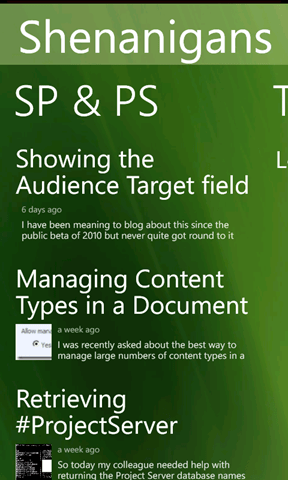
Announcing: Shenanigans for Windows Phone 7
|
|
|


All the key features from the previous applications are available for WP7 including:
- SharePoint (and Project Server) Shenanigan feeds
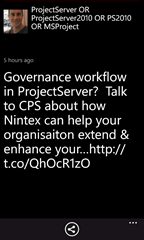
- Twitter feeds for SharePoint and Project Server
- You Tube Videos
- Podcasts
- and more…
- I hope you enjoy and stay tuned for updates

Screenshots:
 |
  |
 |
  |

SharePoint 2010 Calendar Features
The SharePoint 2010 calendar has some interesting features for those clients NOT using exchange.
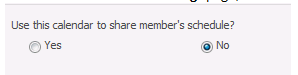
In the calendar General Settings page, there is a sharing option, this seems to change the calendars default view to the one shown below
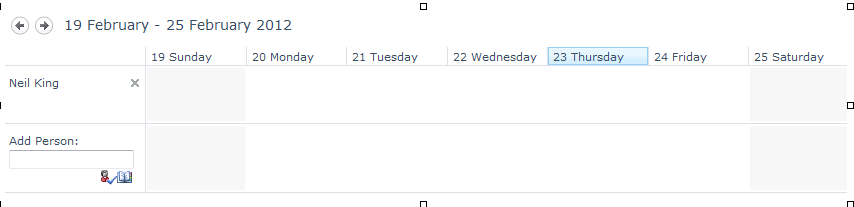
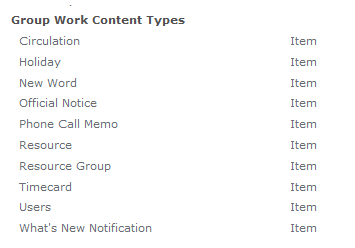
If you then activate the site feature Group Work Lists, you will see 3 more lists, and a load more content types

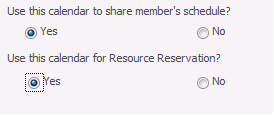
Also the Calendar General Settings page now has an option for resource reservation.
So if we add some resources to our resource list

We can then book a meeting and add a resource and check availability


Not a bad little solution for someone not using Exchange Calendars.


 SharePoint (and Project Server) Shenanigans