Archive
Combined Knowledge, DEV Boot Camps and the 70-573
It has been a few weeks since I attended, which has given me some time to reflect on the SharePoint 2010 development boot camp that myself and various others at CPS have attended over the last couple of months.

Now in my role as a SharePoint Consultant / Solution Architect, I primarily get involved in solution design, estimation of work and the leading of project teams during implementation.
In my experience however, clients rarely want to pay purely for oversight of implementation alone. As a result, my skill set extends to SharePoint configuration, client-side development (JavaScript, jQuery, XSLT, CSS, HTML etc.) SQL / reporting and very very occasionally I get involved in the .NET side of things also.
So to round out my knowledge, aid work estimation and my ideas for future 2013 concepts, I joined our developers on the Combined Knowledge – Development Boot Camp and I thought I would share my experiences (please note this is a personal thought piece and is not sponsored in anyway).
Setting the scene
We contacted Combined Knowledge and it would appear that these development boot camps are popular, so book early.
As a company, it is important for us to have our employees Microsoft certified to ensure quality solutions and our Gold Partner status in Project Server and SharePoint capabilities. As a result, we took the Boot Camp and 70-573 certification options for all staff members attending the course.
Cost of the training covers:
- Hotel for the week (board and all meals)
- Combined Knowledge training materials
- Microsoft official training manual for the course (used for night time reading and exam preparation)
- To kick off the Development Boot Camp piece, the trainer (Gary Yeoman in this case) sends study material suggestions for the night before the training, setting the tone for the week.

|
|
The Training
So now that we have set the scene, the training course side was the usual affair:
- Start time 9:30
- Finish time: 17:00 ish
- Virtual machine environment with SharePoint Server 2010, SQL Server, Visual Studio 2010 and various other tools as required
- Various refreshments throughout
- Click on the course overview for full course details.
- Full, detailed course notes of slides used and plenty of examples for anything you can think of for SharePoint development.
However, the development boot camp piece top and tails this with study in the evening based on MSDN documentation, course material and code examples to work through.
On each day at 8:30, Gary is in place ready to go through the study material and code samples for the evening before.
Certification and Community
If the moons align, you may also get the chance to join in with the SharePoint User Group community. Steven Smith supports the SUGUK for the Midlands and we were lucky enough to catch the meeting discussing SharePoint 2013. (Further details available here: http://suguk.org/)
And finally at the end of the course, the option to take the 70-573 – SharePoint 2010, Application Development exam is available at the Combined Knowledge offices, 10 minutes from the training location.
Thankfully, I managed to pass due to the excellent development course material and week full of studying.

And that concludes my review of the Combined Knowledge Dev Boot Camp experience, probably the best training experience I have had with knowledge that will serve me well now and for the future with SharePoint 2013.
If you have any questions, leave them in the comments below and I’ll come back to you.

Office 2013 Preview Client Requirement #Office365 #MSProject #PS2013 #SP2013
As we gear up further here at CPS with the Office 2013 Preview and what it means for our clients, we started to look client requirements.
Now many of our larger clients are still running Windows XP and looking at the confirmed clients requirements for the Office 2013 Preview, it would appear Windows 7 and higher now the new standard with Internet Explorer 8 or above.
In Microsoft’s defence, Windows XP is a very old operating system and we can’t expect them to support it forever.
To work out when mainstream support ends for your versions of Office and Windows, you and go to the Microsoft Product Lifecycle – Support Home:
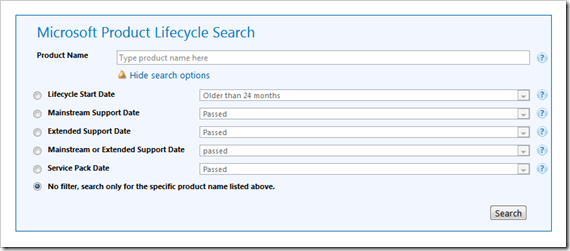
http://support.microsoft.com/lifecycle/search/default.aspx
Anyway, on with some of the details I came across:
Office 2013 Preview App-V (Streaming) Client Requirements
For those of you using the Office 365 Preview, the Office 2013 / Project 2013 clients that stream down via App-V (Application Virtualisation). The preview also uses a new version of App-V, version 5.0 beta 2 of which the minimum requirements is also Windows 7 or higher.
App-V 5.0 Beta 2
Supported operating systems:
- Windows 7
- Windows 8 Release Preview
- Windows Server 2008 R2
- Windows Server 2012 Release Candidate
App-V Packages + Requirements: http://www.microsoft.com/en-us/download/details.aspx?id=30423
Office 2013 Preview Client Requirements
Details of the requirements are below. Specific details by product are at the MSDN link below:
| Component | Requirement |
| Computer and Processor | 1 gigahertz or faster x86- or x64-bit processor with SSE2 instruction set |
| Memory (RAM) | 1 gigabyte (GB) RAM (32 bit); 2 gigabytes (GB) RAM (64 bit) |
| Hard disk | 3.0 gigabytes (GB) available |
| Display | Graphics hardware acceleration requires a DirectX10 graphics card and 1024 x 576 resolution |
| Operating System | Windows 7, Windows 8, Windows Server 2008 R2, or Windows Server 2012 |
| Browser | Microsoft Internet Explorer 8, 9, or 10; Mozilla Firefox 10.x or a later version; Apple Safari 5; or Google Chrome 17.x |
| .NET version | 3.5, 4.0, or 4.5 |
| Multi-touch | A touch-enabled device is required for any multi-touch functionality. However, all features and functionality are always available by using a keyboard, mouse, or other standard or accessible input device. Note that new touch features are optimized for use with Windows 8. |
System Requirements:


 SharePoint (and Project Server) Shenanigans